



Password Security Update
Flavor CRM has implemented password security measures to secure account information and improve overall security. A stronger password requirement is part of these measures to prevent unauthorized access and to keep user accounts safe.
Reset Your Password When It Has Expired
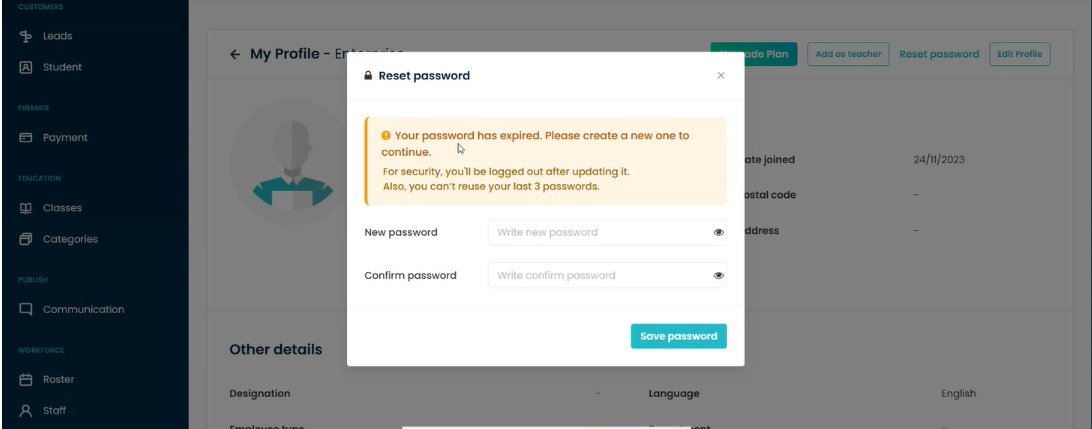
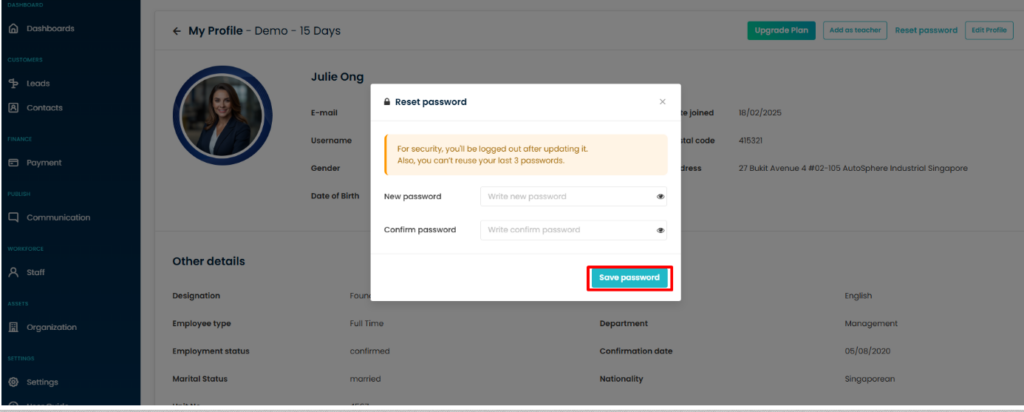
If your password has expired, Flavor CRM will prompt you to create a new password before you can continue accessing the system. Enter your new password, confirm it, and click Save password.
Note:
- You cannot reuse any of your last 3 passwords.
- For security purposes, you will be logged out after updating your password and will need to log in again using your new password.
Be Careful With Login Attempts After Resetting Your Password
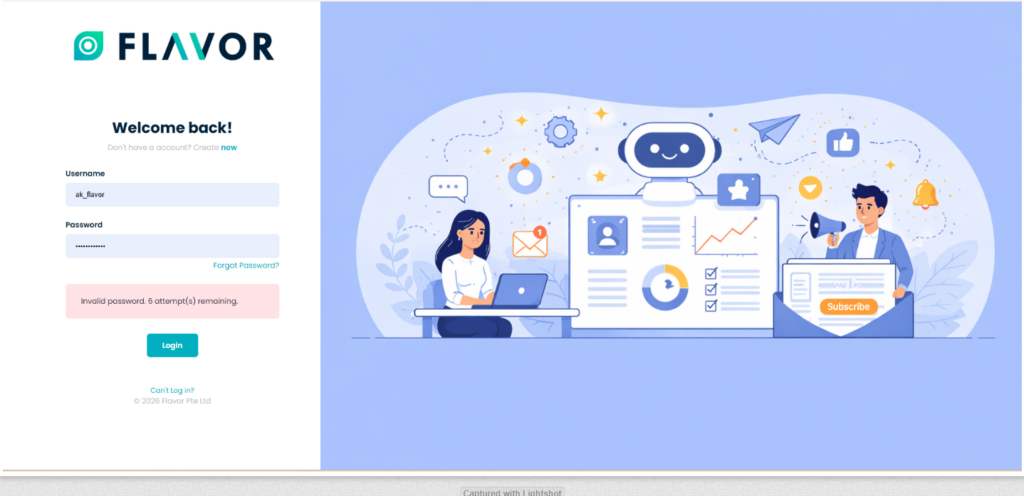
After resetting your password, make sure you enter your new login credentials carefully when signing in to your account.
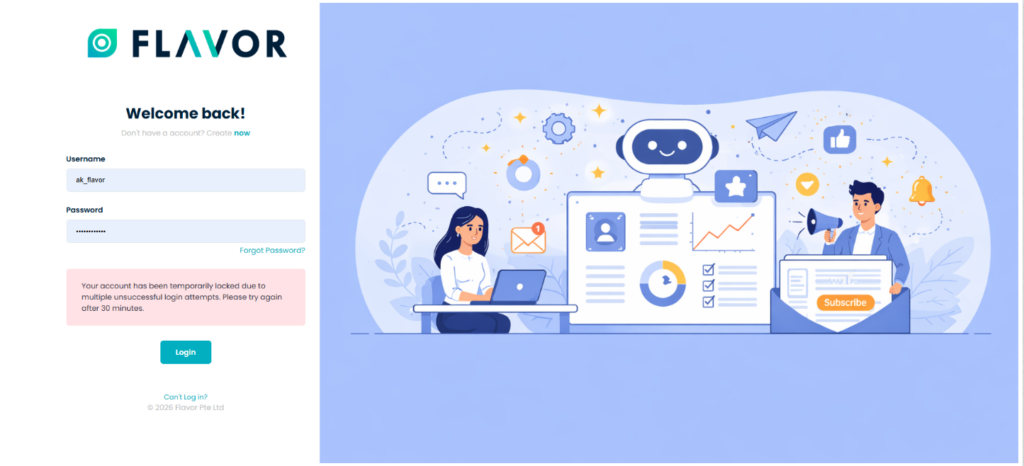
Note: If you enter an incorrect password multiple times and exceed the maximum of 7 login attempts, your account will be temporarily locked. Please wait 30 minutes before attempting to log in again.
Two Ways to Reset Your Password
If you are unable to access your account or would like to update your password, you can reset it using either of the methods below.
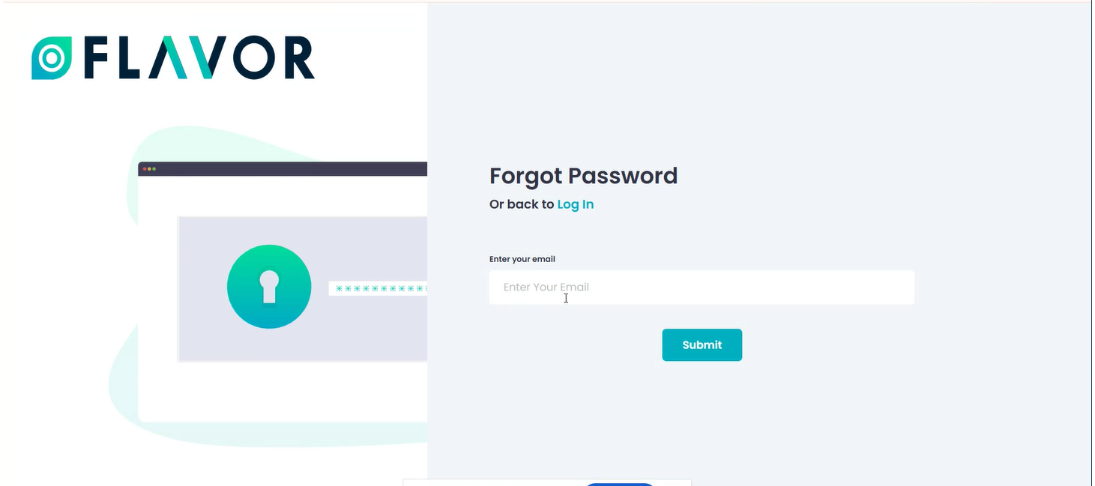
Reset Your Password Using the “Forgot Password” Option
If you are still unable to log in to your account, click the Forgot Password? link on the login page. Enter your registered email address and click Submit to receive password reset instructions.
Note: If you are still unable to log in, please contact our support team via WhatsApp or raise a support ticket for further assistance.
Reset Your Password Through Your Profile
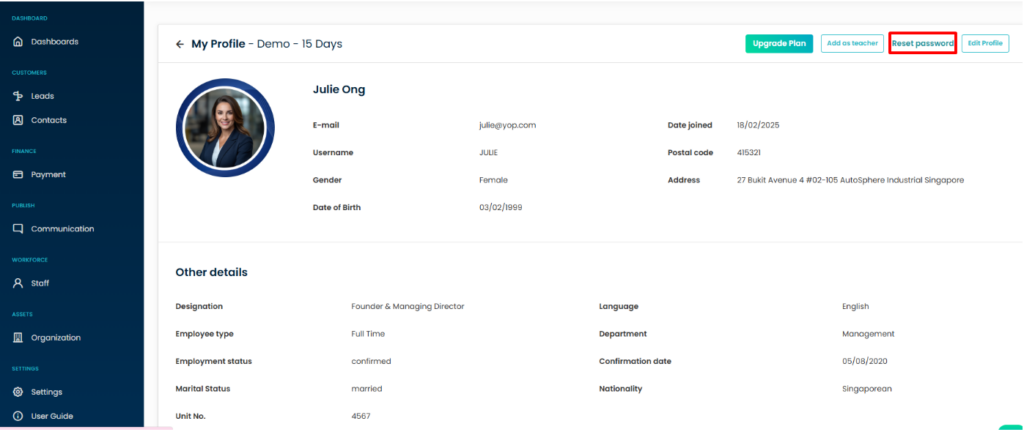
If you can log in to your account but would like to update your password, you can reset it directly from your profile.
Go to My Profile and click Reset password. Enter your new password, confirm it, and click Save password to update your login credentials.
Note: For security purposes, you will be automatically logged out after updating your password and will need to log in again using your new password. Additionally, your new password must be different from your last 3 previously used passwords.
Need Help Unlocking Your Account?
If your account has been temporarily locked after exceeding the maximum number of login attempts and you are still unable to access your account after the lockout period, please contact our support team for assistance.
You can either:
Contact us via WhatsApp for immediate assistance.
Raise a support ticket through Flavor CRM to request account access support.
For detailed instructions, refer to:
How To Raise A Support Ticket In Flavor CRM – https://www.flavorcrm.com/user-guide/account-settings/how-to-raise-a-support-ticket-in-flavor-crm/
📱 For immediate assistance, contact our WhatsApp Support Team at 6797 6787.
Our support team will assist you in regaining access to your account and resolving any login-related issues.
Need more help? Ask us a question
Please let us know more of your details and our team will reach out to you very shortly.
