



Step 1
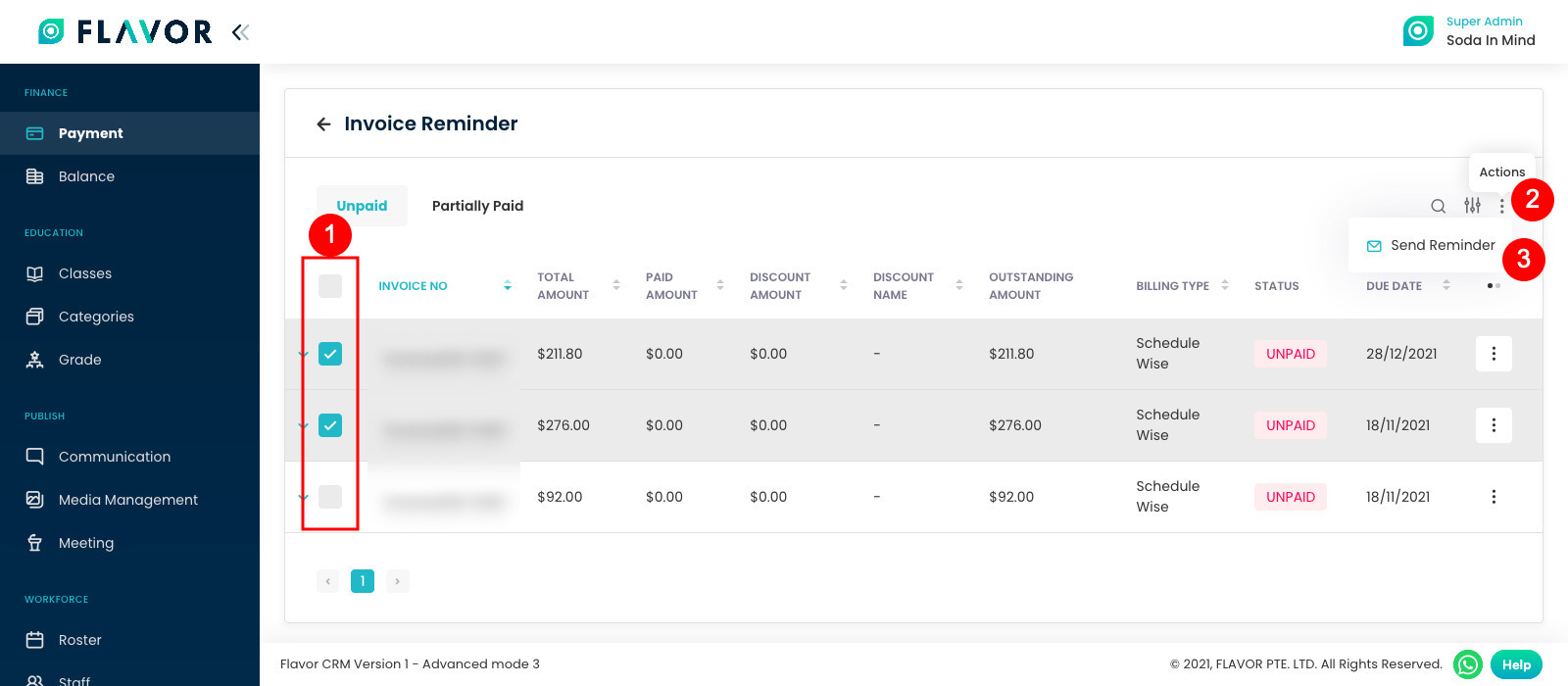
To send a reminder to someone first of all,
- You must select the invoices and, then
- Click on Actions (3 vertical dots) button and, then
- Click on Send Reminder.
Step 2
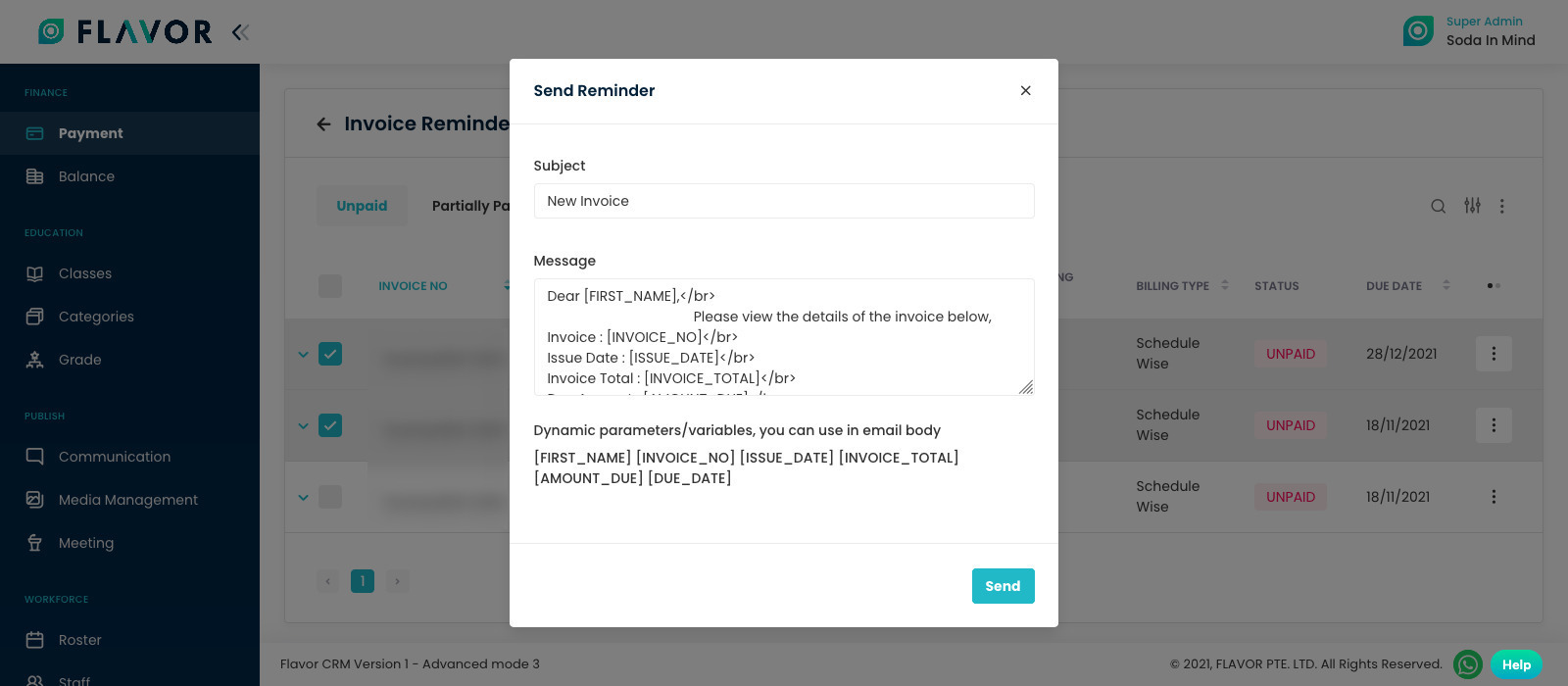
A modal will come showing you the content that you will go to your client. When all seems right to you, then you can click on send.
Payment Reminder Notification
Step 1 : Payment Notification Settings
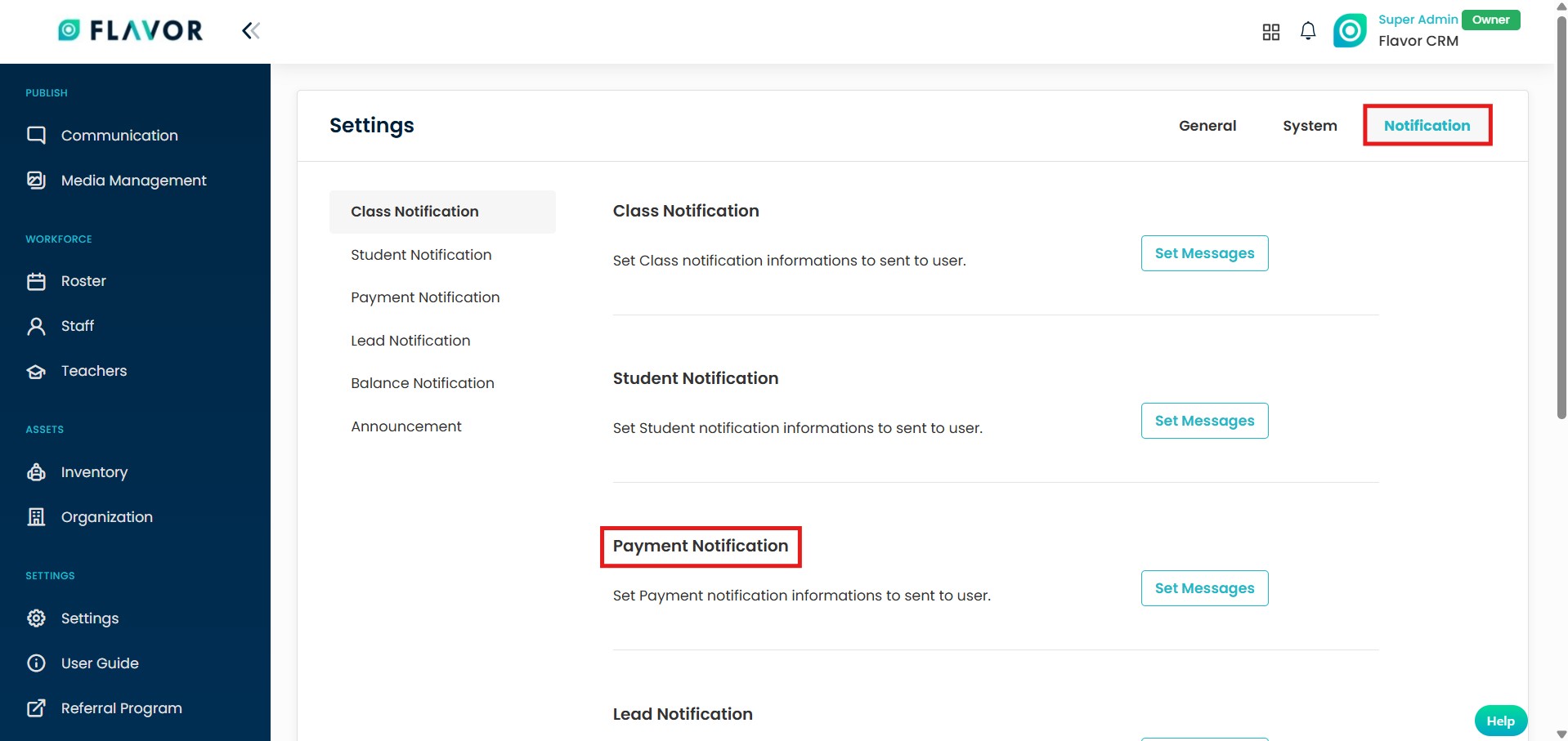
- From the Settings Module > select Notification section.
- Click on Set Message for Payment Notifications.
Step 2 : Student Payment Reminder
- Select type of message like Email or other type.
- There is Student Payment Reminder, here you can set when the reminder will be sent before due date.
- Edit the Message content & make sure to click on Save Notification.

Need more help? Ask us a question
Please let us know more of your details and our team will reach out to you very shortly.
