



Introduction
Flavor app for both students and teachers are officially supported application and are available on both the Apple App Store and Google Play Store, which ensures it has undergone the respective platform security and compliance reviews.
For Students : Flavor: Book & Manage Classes
App Store : Flavor: Book & Manage Classes Google Play Store : Flavor: Book & Manage Classes
The Flavor CRM Students App isn’t just a tool it’s a personalized digital assistant that puts every student’s academic journey in their pocket.
From tracking progress and receiving updates to managing fees and accessing learning materials, it helps students to stay organized, connected, and in control anytime, anywhere.
For Teachers : Flavor professional
App Store : Flavor Professional Google Play Store : Flavor Professional
The Flavor CRM Teachers App transforms everyday classroom management into a streamlined experience.
From scheduling classes and taking attendance to sharing resources it gives educators more time to do what they do best teach, inspire, and connect.
A detailed overview of the Flavor Mobile Apps
Click on this link to view : Flavor App Portfolio
Applications distributed through the Apple App Store and Google Play Store are subject to security checks, helping protect users from scams, and unauthorized access.
Be assured that downloading the app from these official platforms does not compromise personal devices or data.
Switch Between Student Profiles
Parents can switch between their children’s profiles using either of the following options :
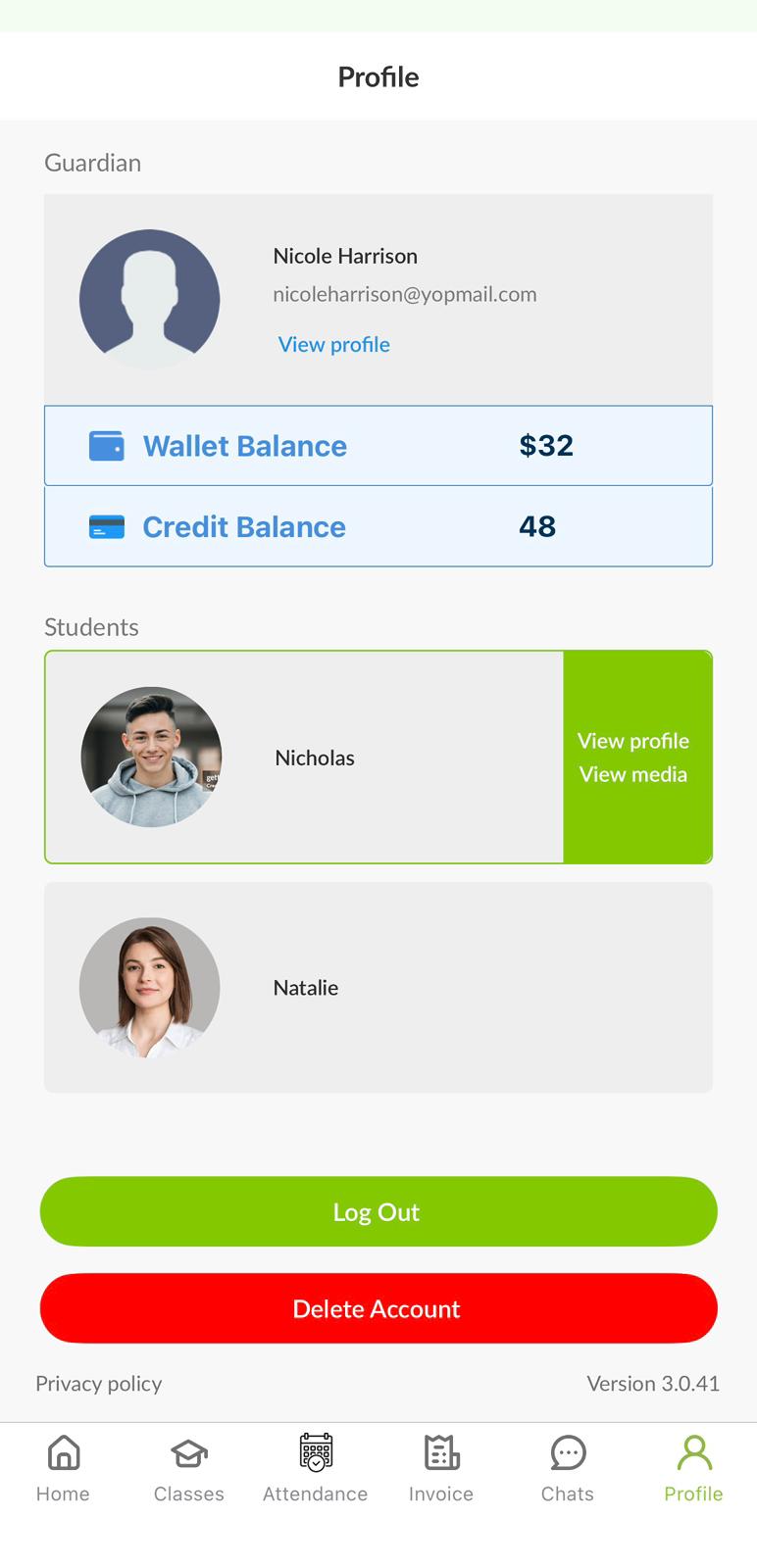
1. Profile Section : From the Profile section where you will see the list of sibling profiles. Click on any sibling’s profile to switch to that student.
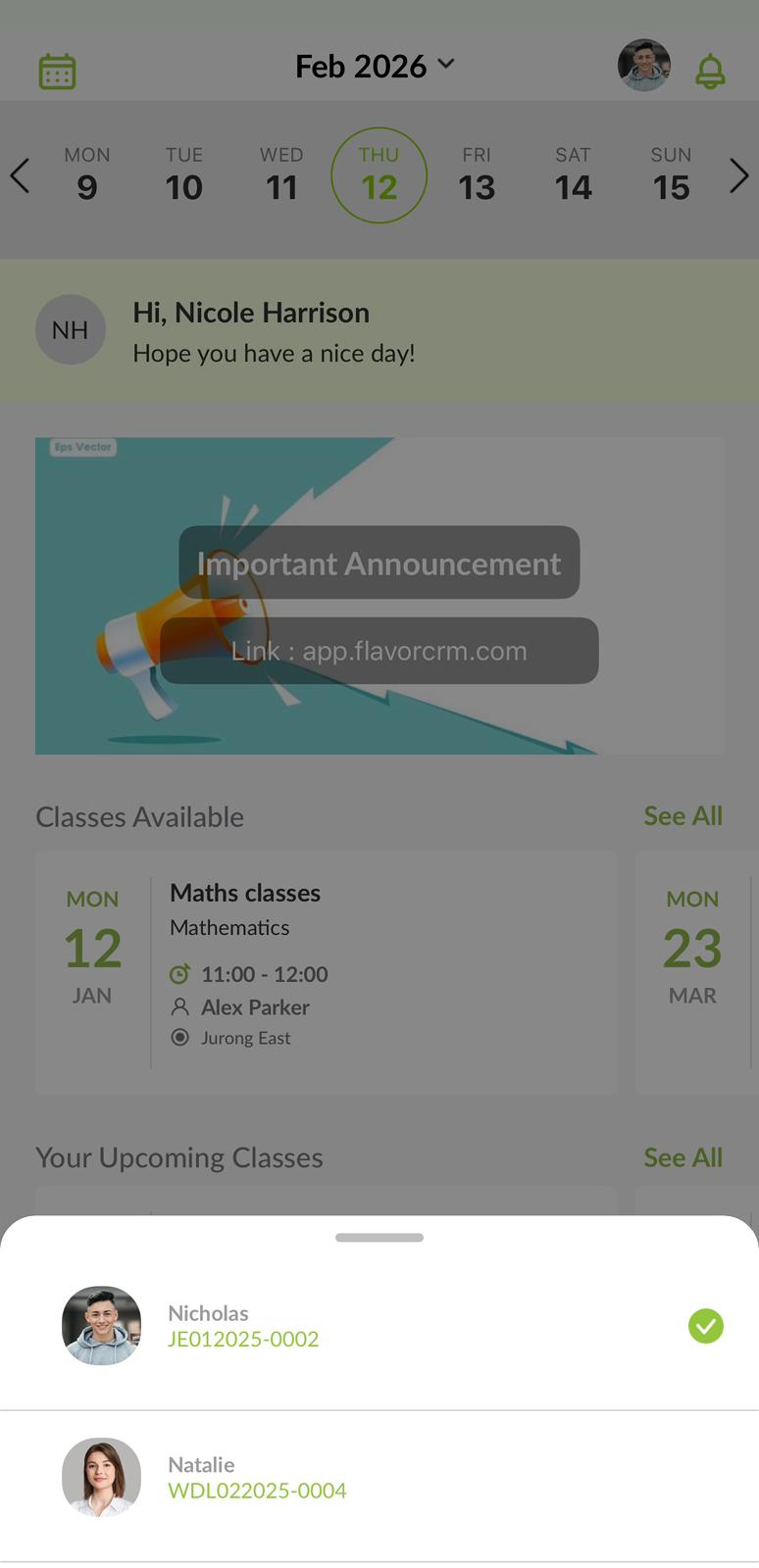
2. Home Page : On the Home page, click the Profile icon located in the top right corner. From there, select the student profile you would like to access.
Need more help? Ask us a question
Please let us know more of your details and our team will reach out to you very shortly.
