



Class & Attendance tab
The Class & Attendance tab provides a centralized view of a student’s attendance statistics, upcoming classes, and makeup lesson requests.
Step 1
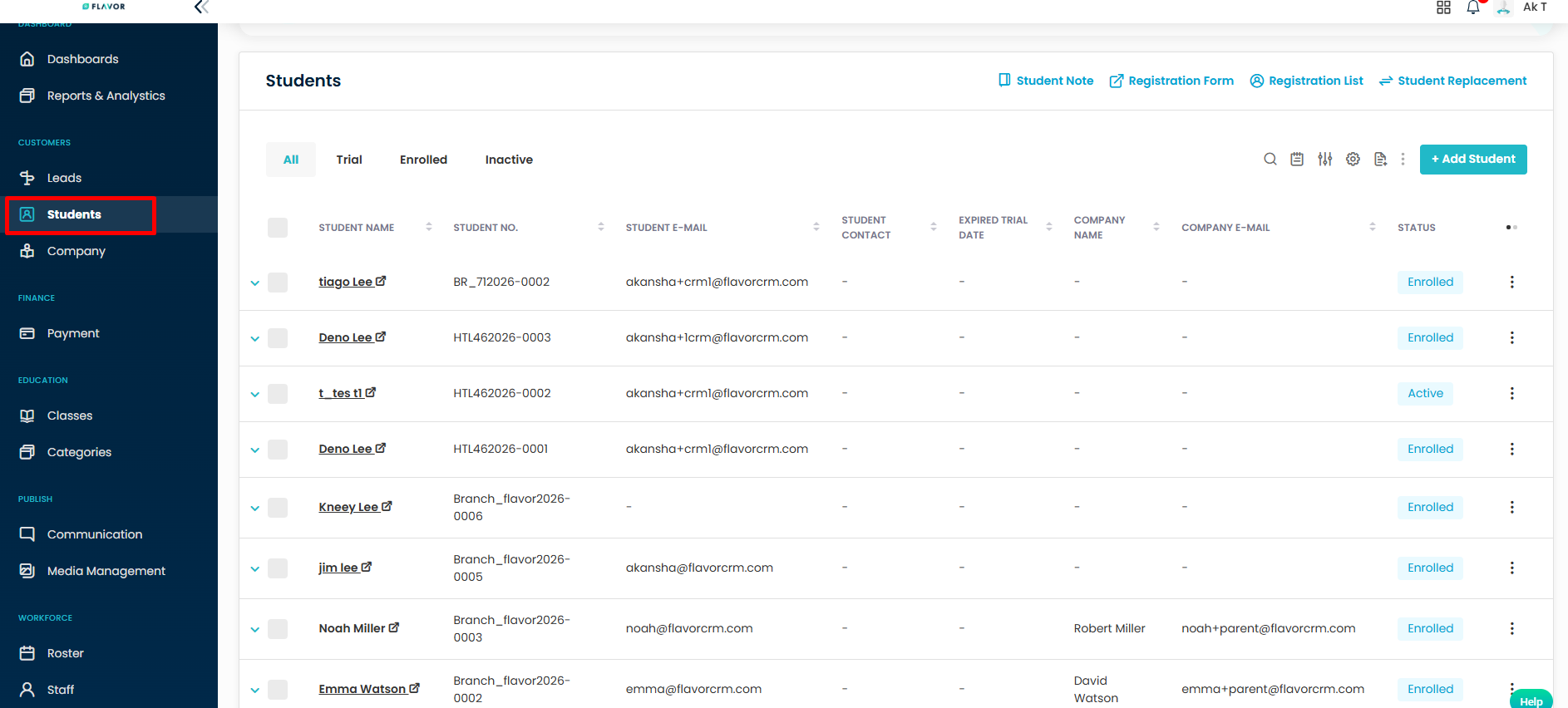
Navigate to Students/Customers from the left navigation menu.
Step 2
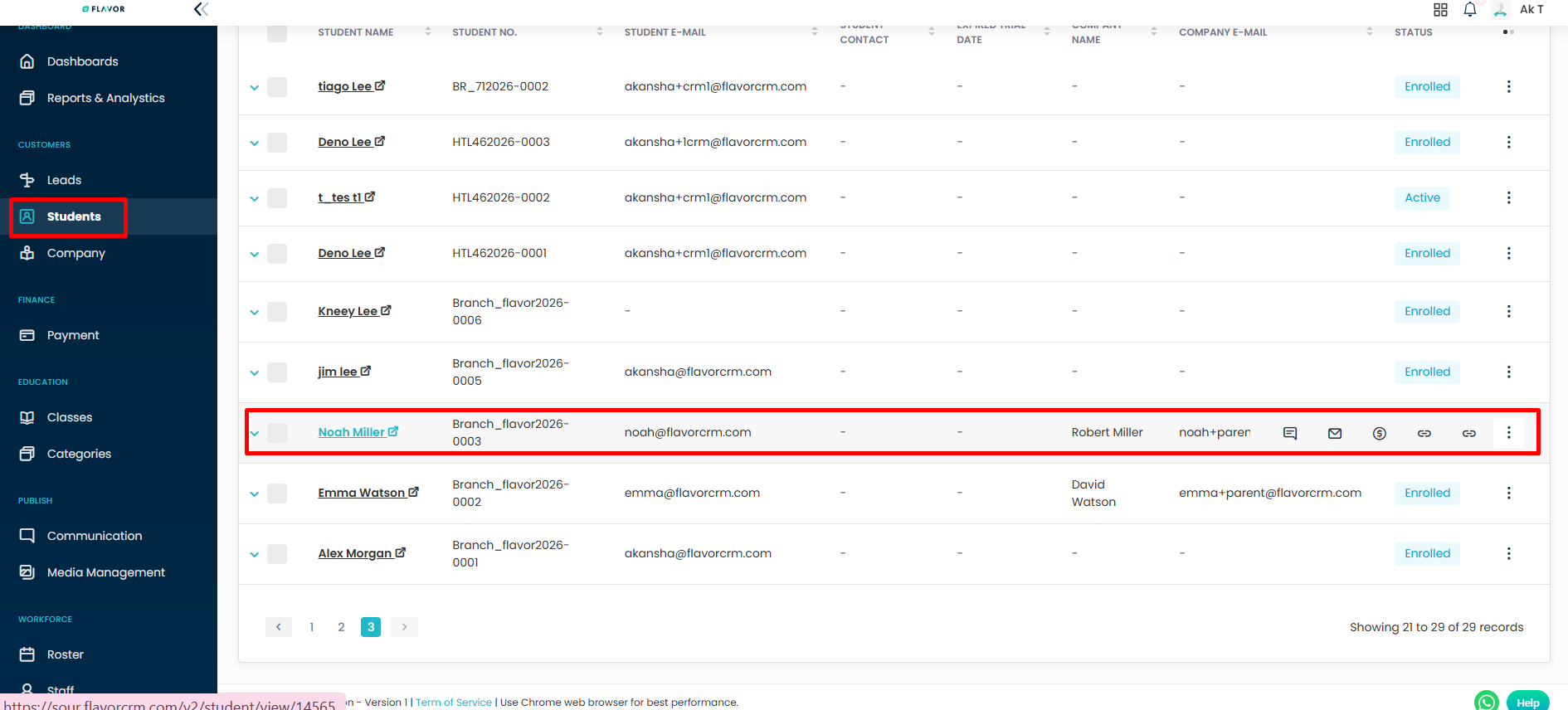
Open the student record you wish to view.
Step 3
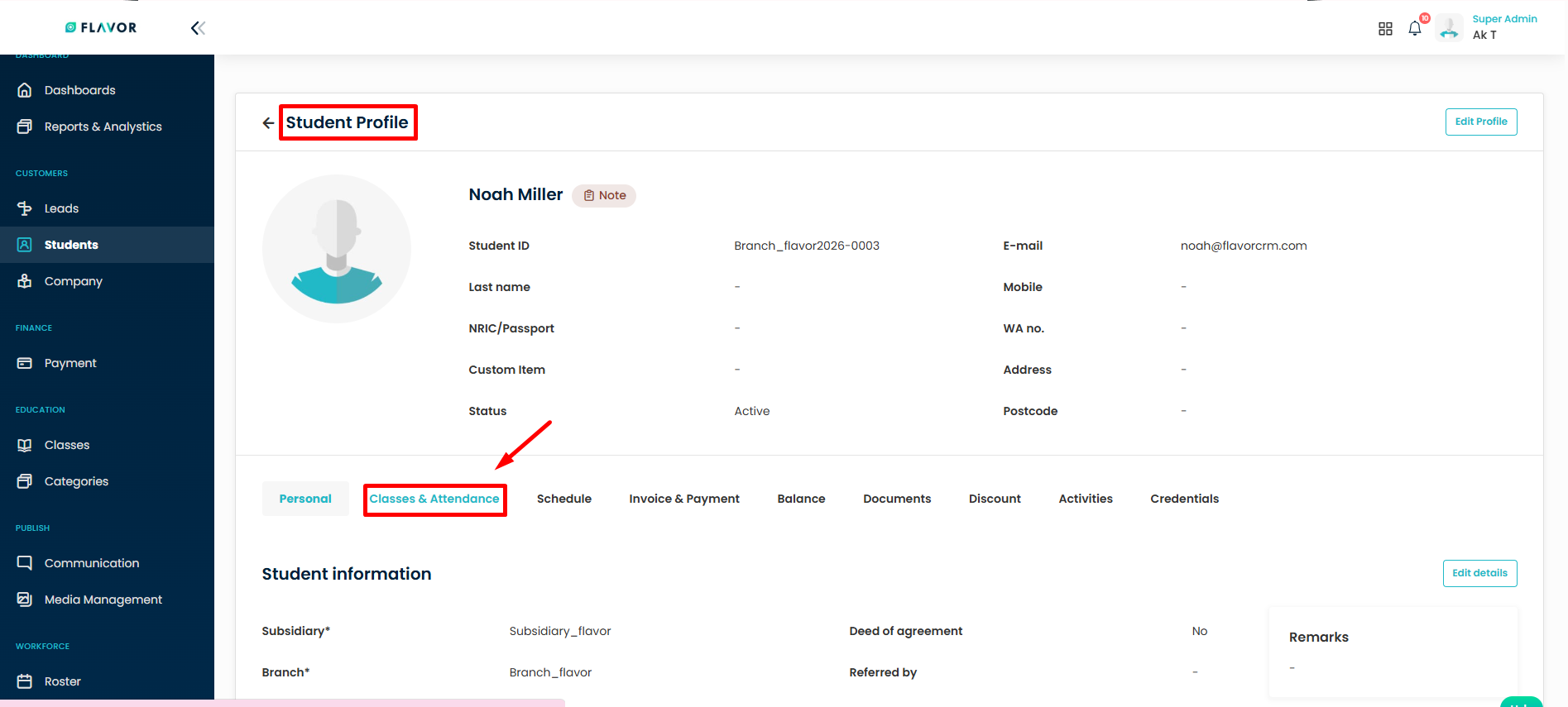
From the student profile, click on the Classes & Attendance tab.
Step 4
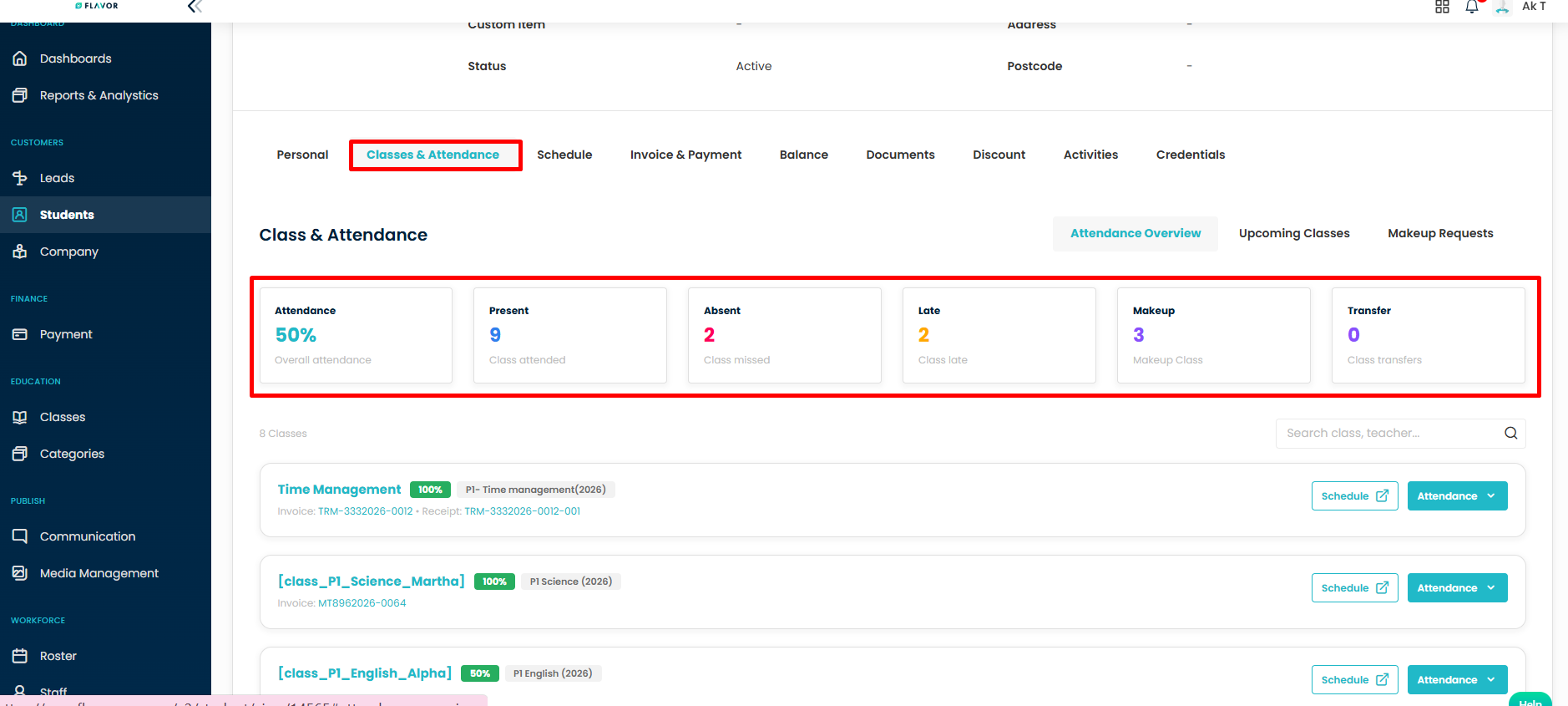
The system will display the Attendance Overview section, which provides a summary of the student’s attendance performance.
You can view:
- Overall Attendance Percentage
- Total Present Classes
- Total Absent Classes
- Total Makeup Classes
- Total Late Attendances
Step 5
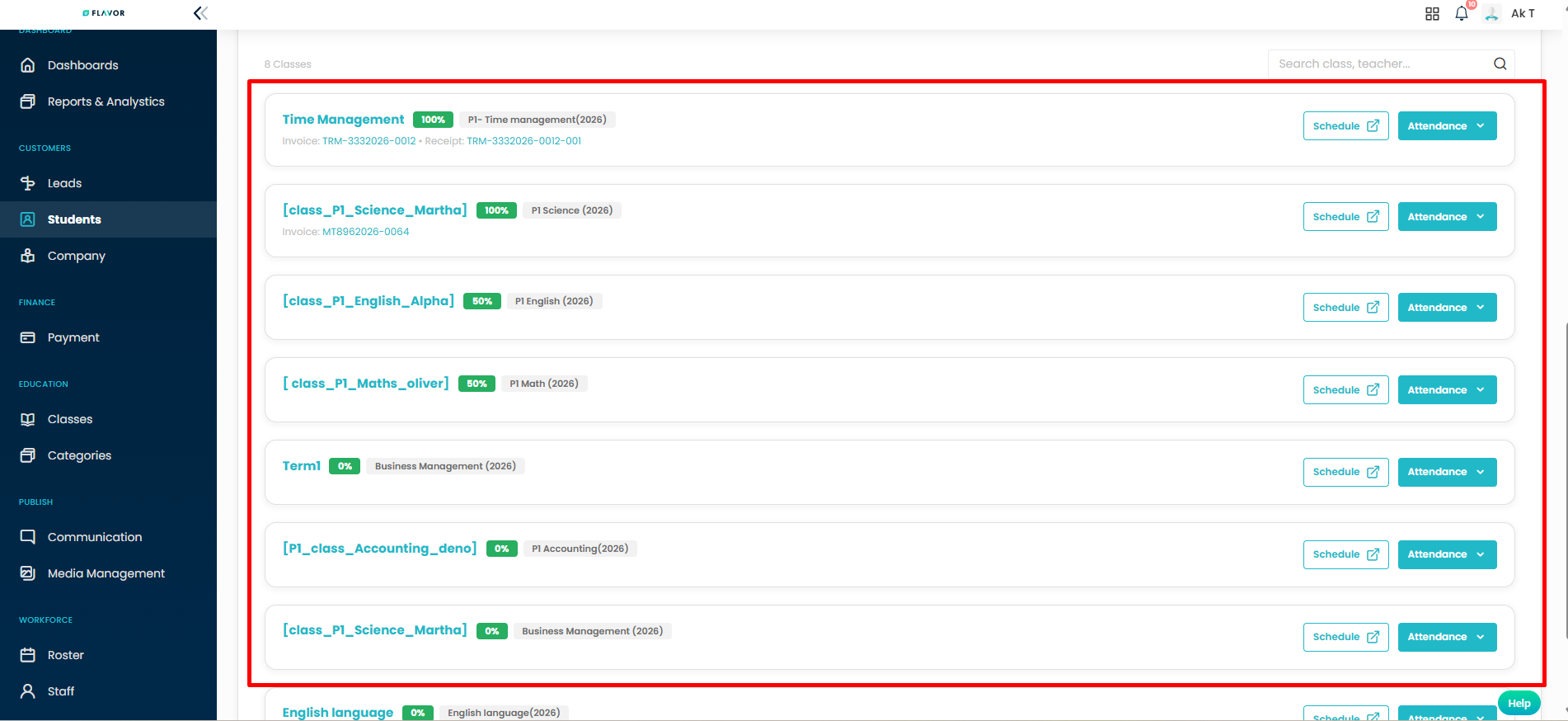
Scroll down to view the list of enrolled classes.
Each class card displays:
- Class Name: the name of the enrolled class.
- Schedule Details: Day(s) and time of the time of the class.
Step 6
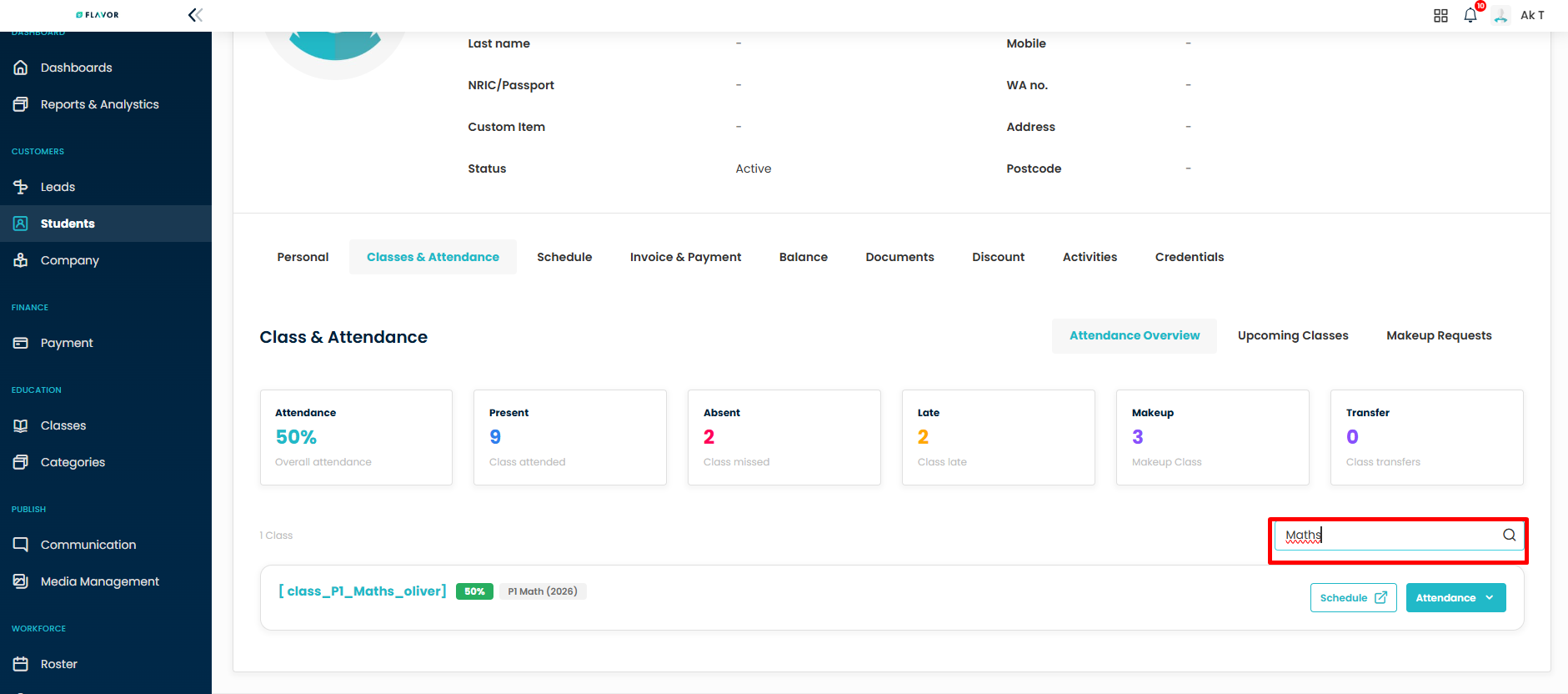
Use the Search field to quickly locate a class by class name or teacher name.
How it works:
Enter a class name (eg -“Maths”) or teacher name (eg-“Mr Alex tan”) in the search filed.
the system will instantly filter and display the matching class (es).
Step 7
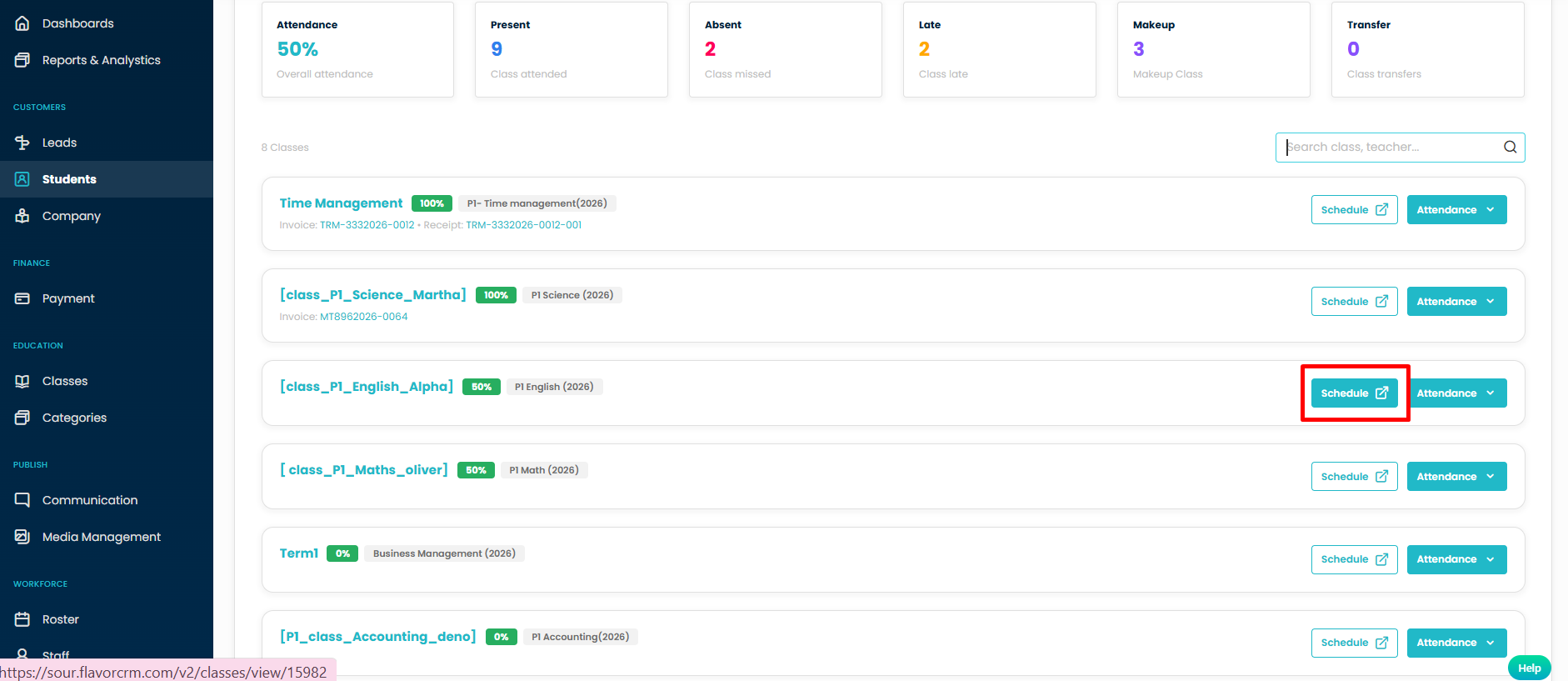
Click the Schedule button to view the selected class schedule.
Step 8
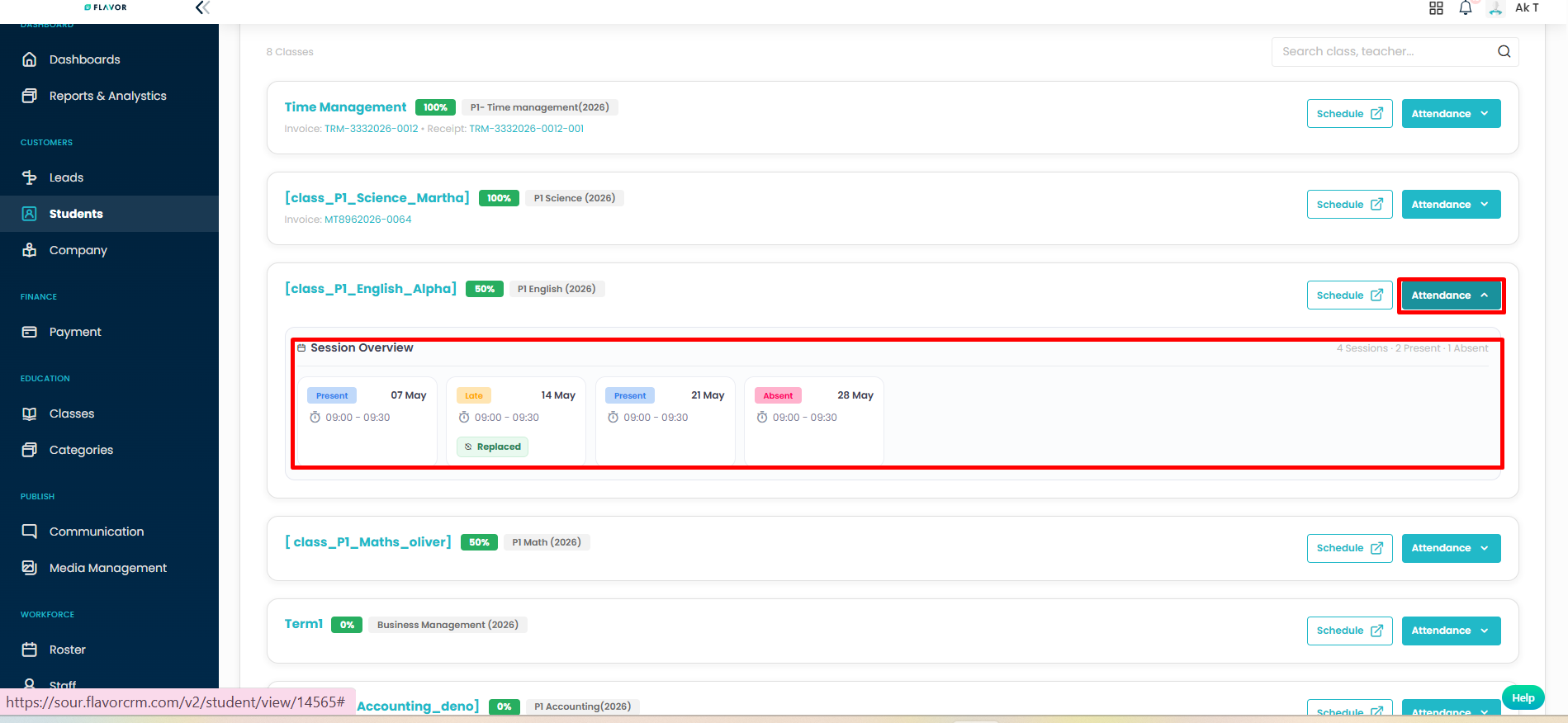
Click the Attendance dropdown button to access attendance-related actions and records for the selected class.
Session Overview:
View session-wise attendance summary
Step 9
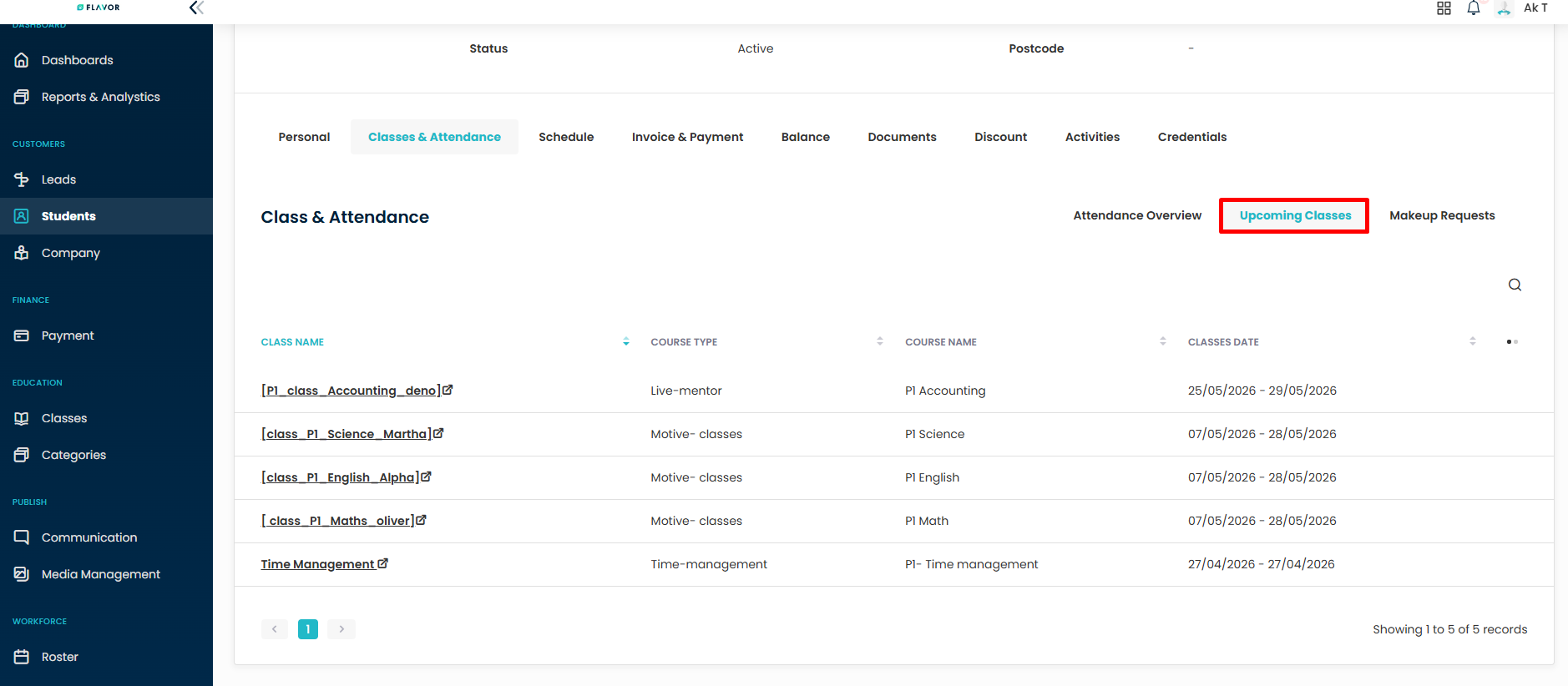
Select the Upcoming Classes tab to view all future scheduled classes for the student.
Step 10
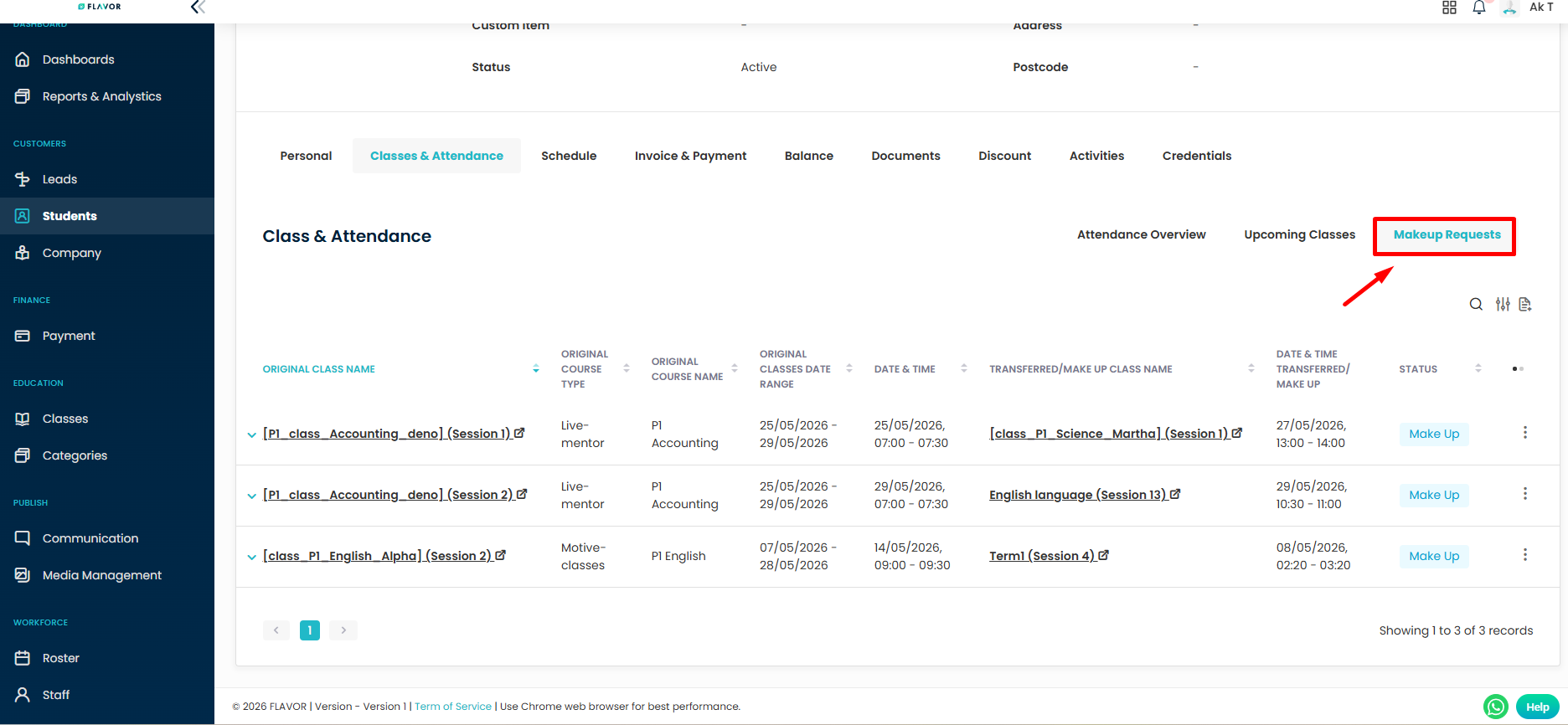
Select the Makeup Requests tab to review and manage makeup lesson requests submitted for the student.
Result
You can now monitor a student’s attendance statistics, review enrolled classes, access schedules, and track makeup requests directly from the Classes & Attendance tab.
Need more help? Ask us a question
Please let us know more of your details and our team will reach out to you very shortly.
