



Support Ticket
A support ticket is a formal request used to report an issue, request assistance, or seek clarification from the Flavor Team. It serves as a tracked record of communication, to ensure that each request is reviewed and resolved efficiently.
You should raise a support ticket whenever you encounter system-related issues, require assistance with features or modules, or need technical or operational guidance. This ensures faster resolution, clear communication and follow-up through an organized process.
How to Raise a Support Ticket?
Option 1 : Submit Ticket
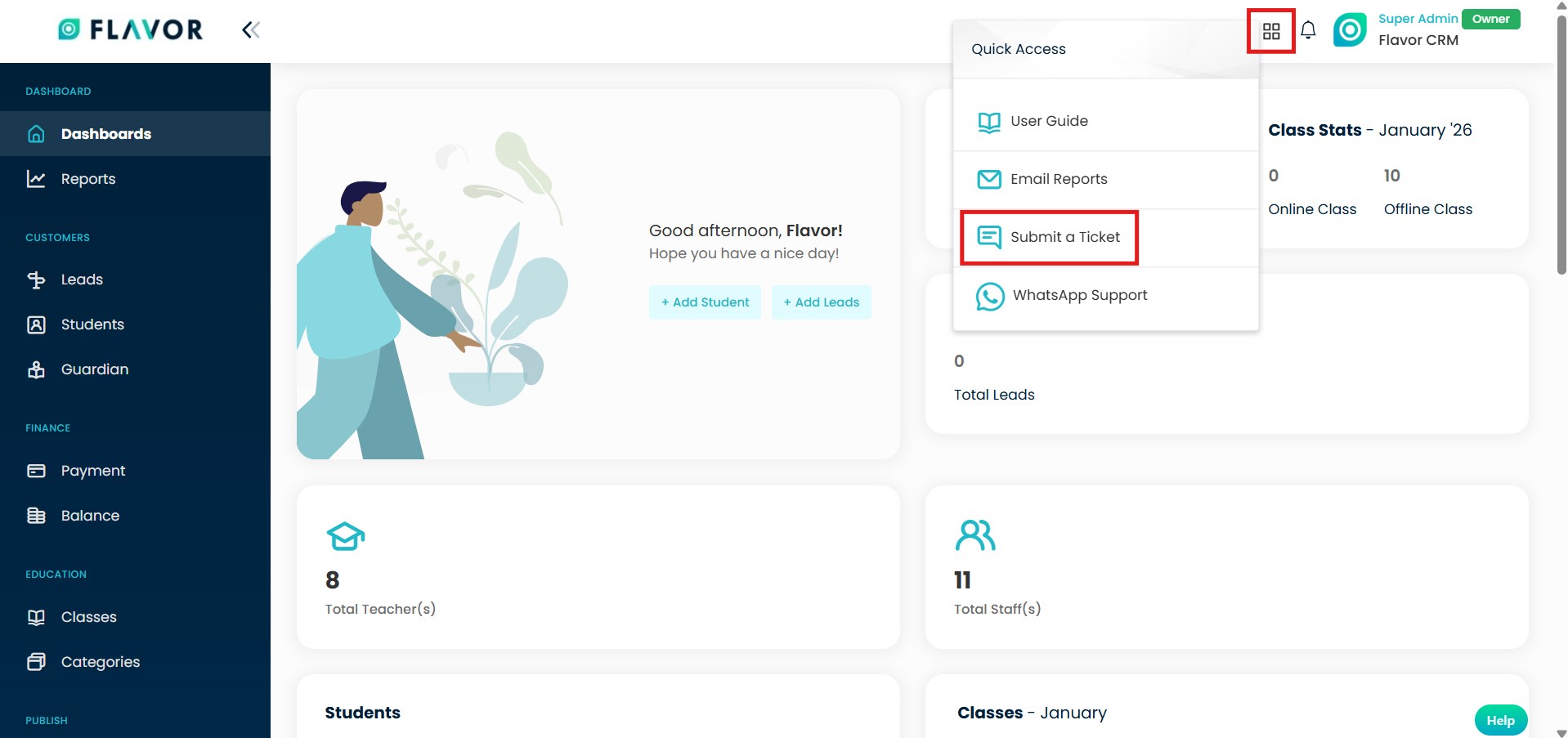
Step 1 : Submit Ticket Option
- Click on the Square icon at the top right of your Flavor account.
- Select the Submit a Ticket option from the dropdown menu to proceed.
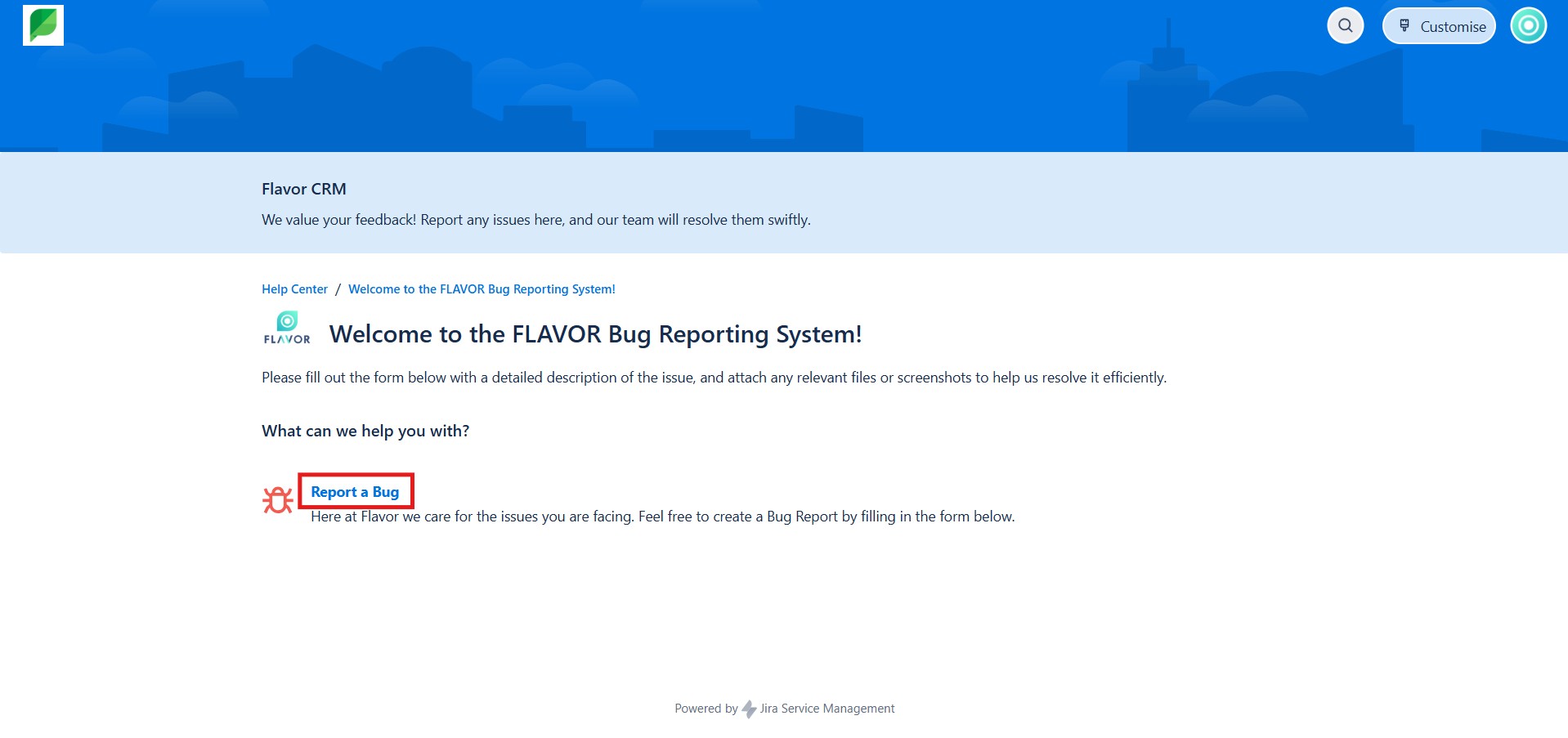
Step 2 : Report a Bug
On the Support page, click Report a Bug to proceed to the ticket submission form and provide details about the issue you are experiencing.
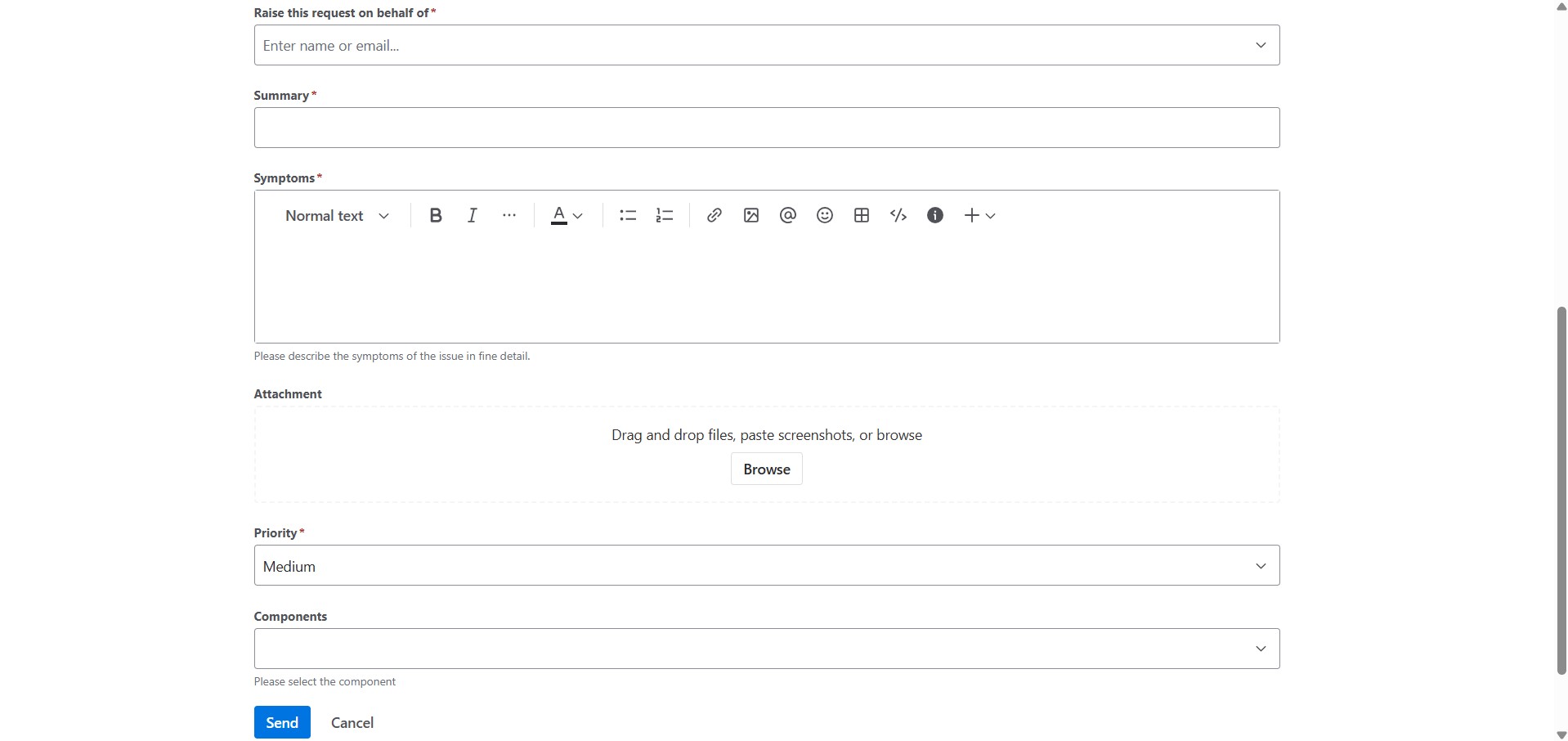
Step 3 : Fill in the Ticket details
Complete the support ticket by entering a clear Summary of the issue, provide information in the Symptoms section, and attach any relevant images or documents. Select the appropriate Priority and Component, and click on Send to submit the ticket.
Option 2 : Help Button
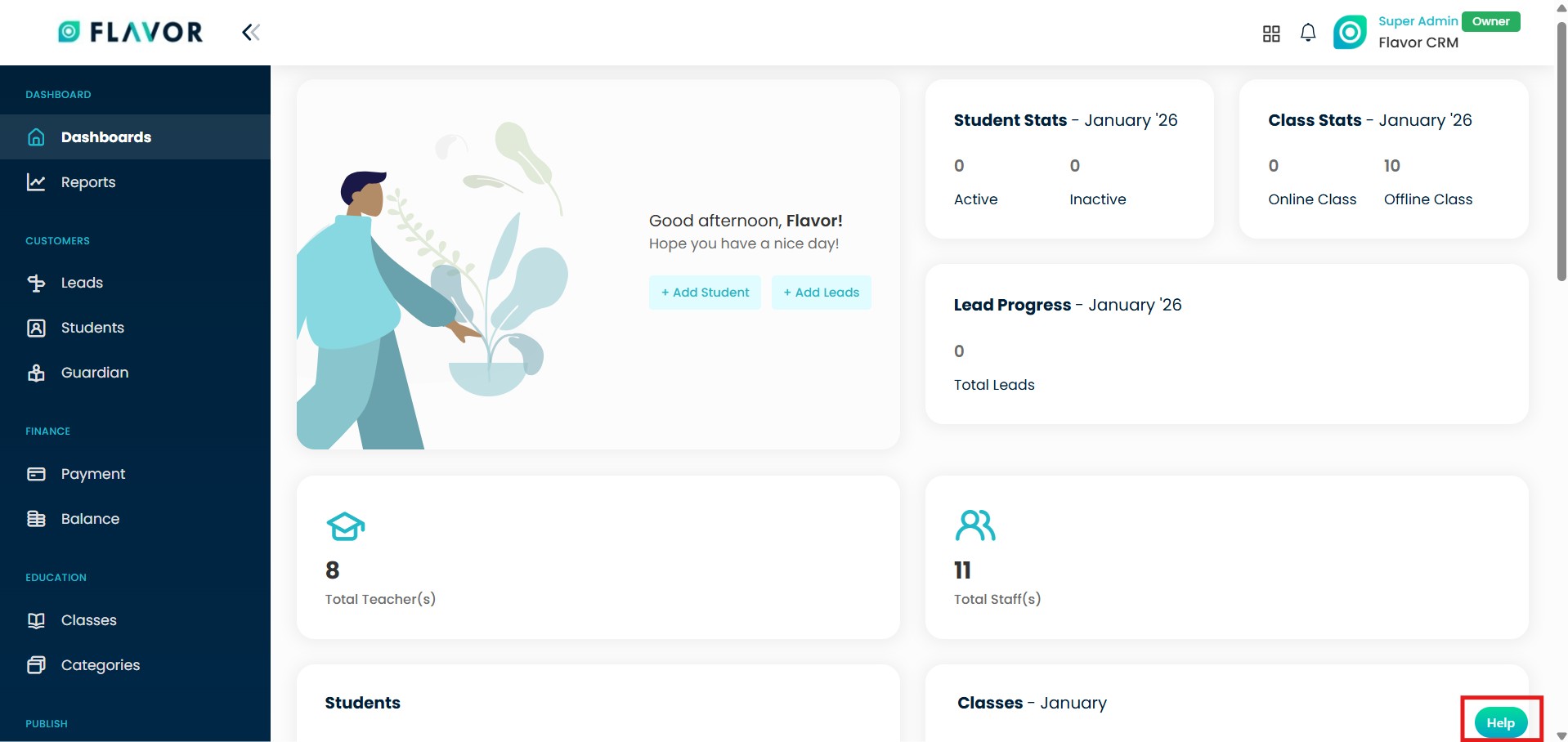
Step 1 : Help Button
Click on the Help button at the bottom right corner of your Flavor account.
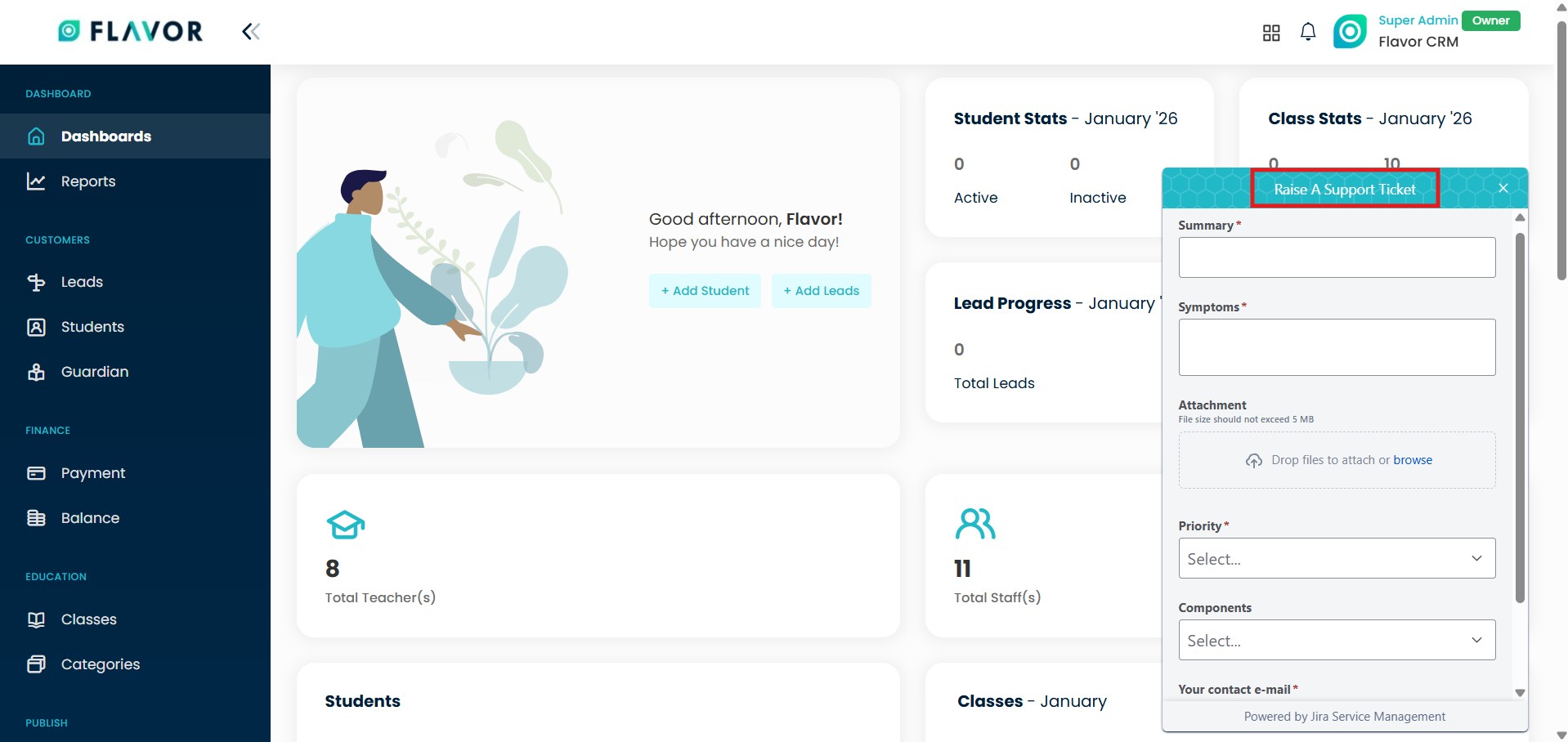
Step 2 : Fill in the Ticket details
After clicking the Help button, the Raise a Support Ticket form will appear. Proceed by entering the required details and click on Send to submit the ticket.
Need more help? Ask us a question
Please let us know more of your details and our team will reach out to you very shortly.
